
Reconciled local catalogue
Likely duplicate observations are grouped without erasing where they came from.
ANDROID + WEAR OS · FREE · PRIVACY-FIRST
Earthquake context you can verify, prepare for, and act on.
Theo dõi động đất trực tiếp cho khu vực của bạn, quốc gia của bạn và toàn thế giới.
Follow earthquakes across seven public seismic sources, compare updates, understand estimated local impact, monitor the places you care about, and use preparedness tools across Android, tablets, widgets, and compatible Wear OS devices—without creating an account.
SOURCE-AWARE BY DESIGN
QuakeSense brings together USGS, EMSC, GFZ/GEOFON, GDACS, ISC, GeoNet, and BMKG. It reconciles likely duplicates into a local event while retaining provider identity, updates, revisions, and source provenance. Partial provider failures remain visible instead of being presented as a complete refresh.
Likely duplicate observations are grouped without erasing where they came from.
Compare source count, magnitude, depth, location, confidence, and disagreement.
Preserve preliminary, reviewed, deleted, and superseded observations over time.
See cached information, partial refreshes, and provider-health context honestly.
FROM GLOBAL ACTIVITY TO YOUR PLACES
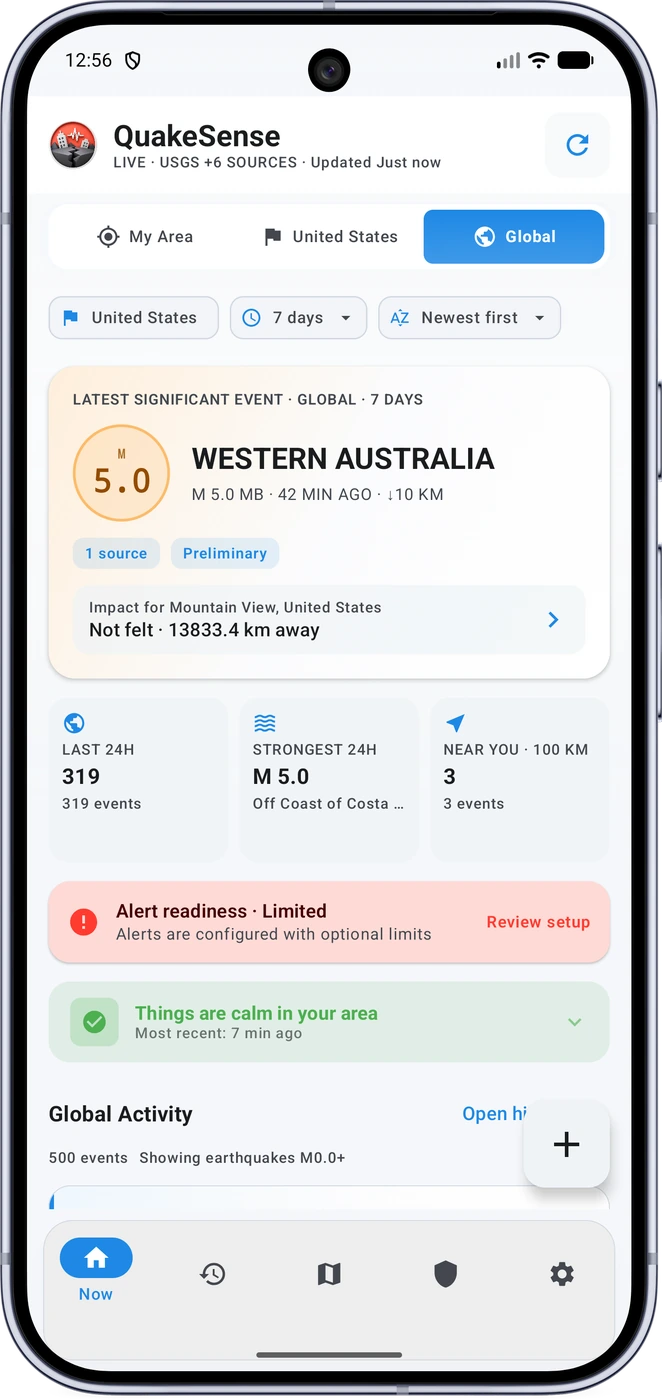
Switch between My Area, Country, and Global views. Review 24 hours to 30 days of activity, sort history, and explore magnitude-aware clusters on OpenStreetMap.
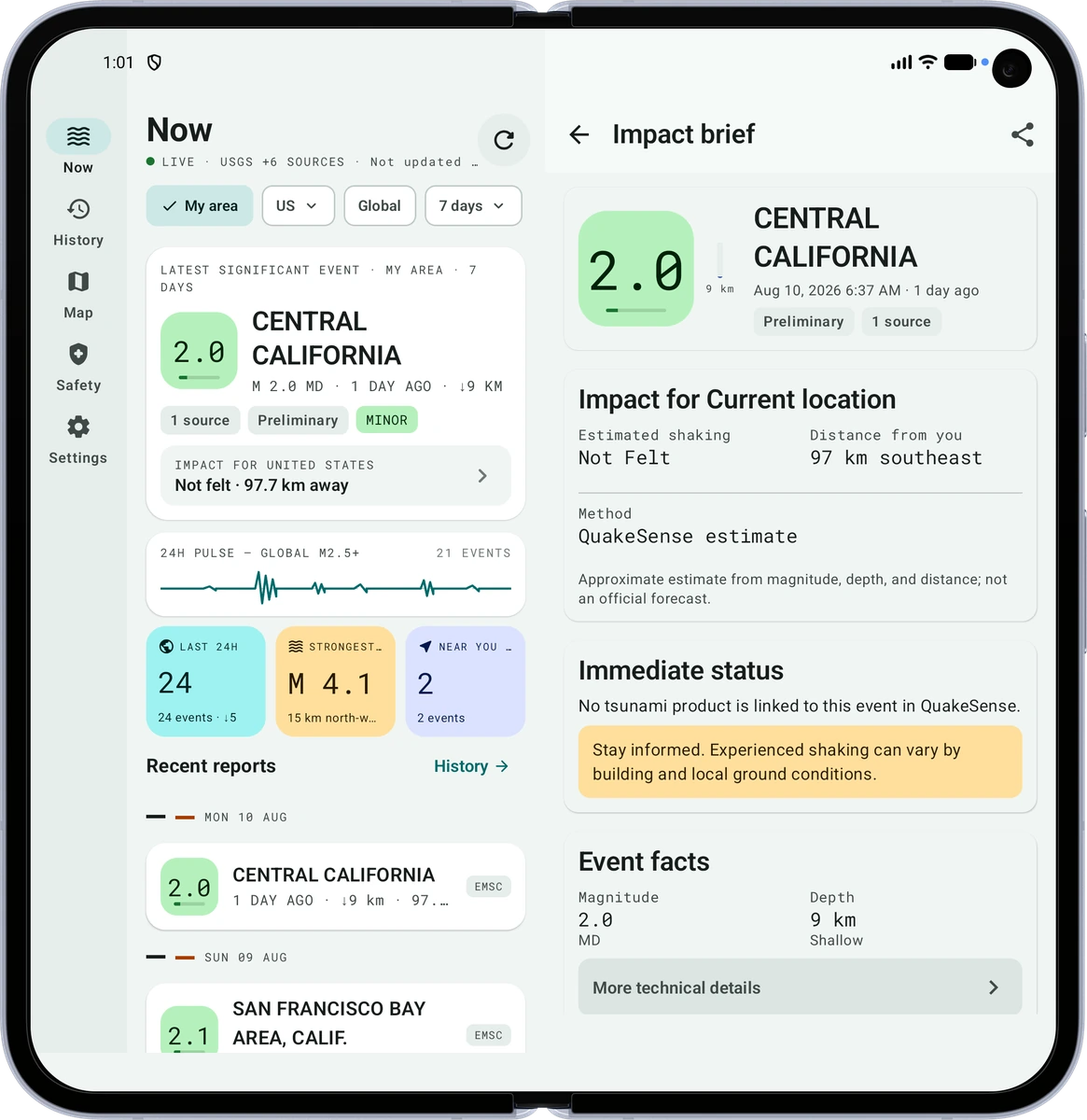
Open an event for approximate distance and direction, depth, local and UTC time, source agreement, and an estimated shaking/MMI band with confidence and uncertainty.
Create Home, Work, Family, Custom, or time-limited Travel Watch profiles with radius, magnitude, MMI, quiet-hours, and critical-override preferences.
Check notification permission, channel state, selected place or location, recent source refresh, worker heartbeat, battery restrictions, full-screen eligibility, and other local alert conditions.
Alerts depend on upstream data, network access, Android scheduling, permissions, battery policy, and your settings. QuakeSense does not guarantee immediate delivery.
PREPARE · DURING · AFTER
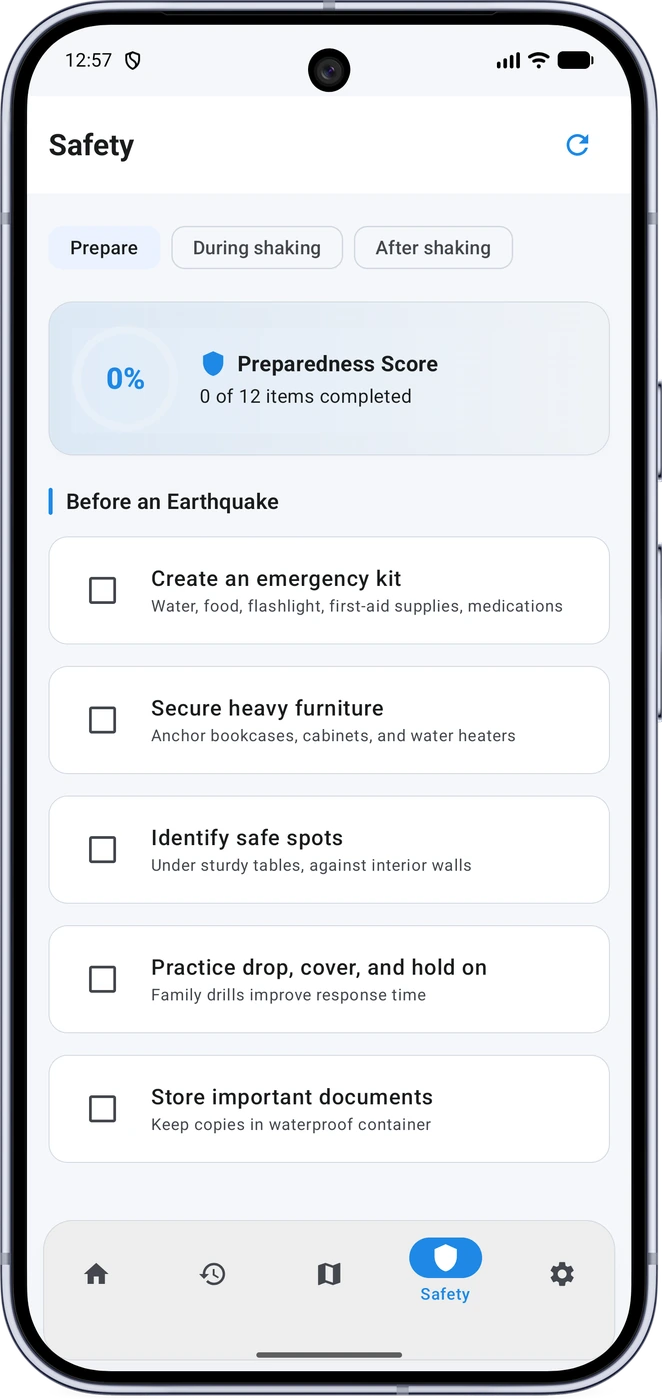
Work through a preparedness checklist, review Drop, Cover, and Hold On guidance, use read-aloud support, keep emergency contacts, follow post-quake checks, and share an explicit “I’m Safe” update.
QuakeSense never automatically calls emergency services. Calls and check-ins remain user initiated.
LOCAL-FIRST PRIVACY
The reviewed app requires no mandatory account and contains no behavioral advertising SDK. Private places, household topology, motion samples, health signals, structural images, and local evidence are processed or stored locally unless you explicitly export or send a narrowly scoped item.
BUILT FOR MORE THAN ONE SCREEN
Choose Flagship, Classic, Original, or Simple. Wider layouts can use navigation rails and dual-pane event views, while foldable layouts avoid the hinge area.
Language distinction: this website offers 31 page variants. The reviewed phone build separately declares 36 locale tags; availability and translation completeness can vary.
Near Me and Significant Activity widgets read the local cache for fast home-screen context without creating a second monitoring engine.
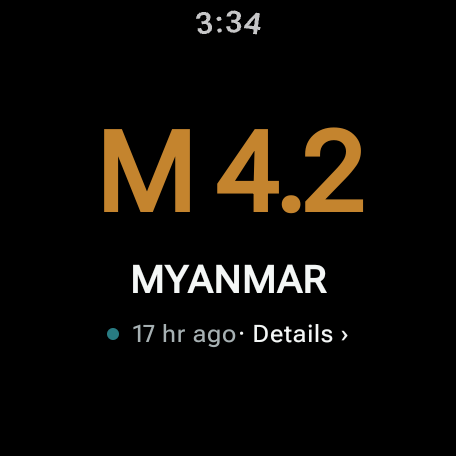
The standalone Wear OS app can fetch signed normalized bulletins over watch networking and can also receive phone synchronization. Use the Seismic Dial, Near Me Tile, watch-face complication, event details, phone handoff, and an “I’m Safe” check-in.
Wear features depend on the watch, sensors, radios, network, permissions, and OEM background behavior. Wave-arrival and proximity output are broad estimates, not guaranteed countdowns or rescue range.
ADVANCED · OPT-IN · CAPABILITY-CHECKED
Advanced tools are optional. They explain permission and battery costs, check device capability at runtime, and are designed to degrade safely when hardware or services are unavailable.
Limit: the on-device GMPE engine works in Android Kotlin but was not yet packaged as Kotlin Multiplatform or Rust/NDK. Research output is exploratory and cannot override official policy.
Limit: automation is reversible by default. Locks, garage doors, gas, electrical systems, elevators, and other high-consequence actuators remain blocked unless a certified external controller owns the real interlock. Home Assistant support exists; production Google Home integration was not implemented in the reviewed version.
Limit: the acoustic modem is audible, not ultrasonic, and representative field validation was incomplete. The structural comparator reports only “visual change detected” or “not reliably compared”; it never labels a building safe or unsafe.
Limit: availability varies by watch hardware and permissions. Entrapment and gesture messages are unverified signals, range is not guaranteed, and the app never automatically calls emergency services.
REAL PRODUCT SCREENS
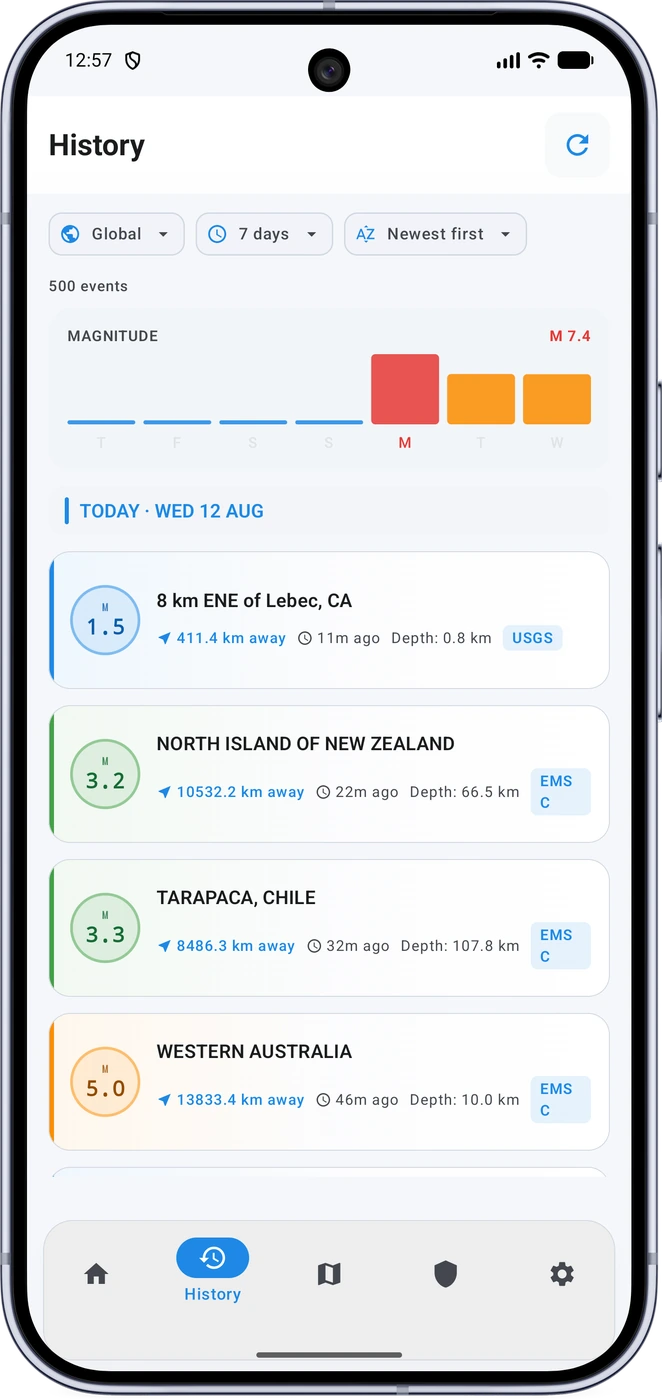
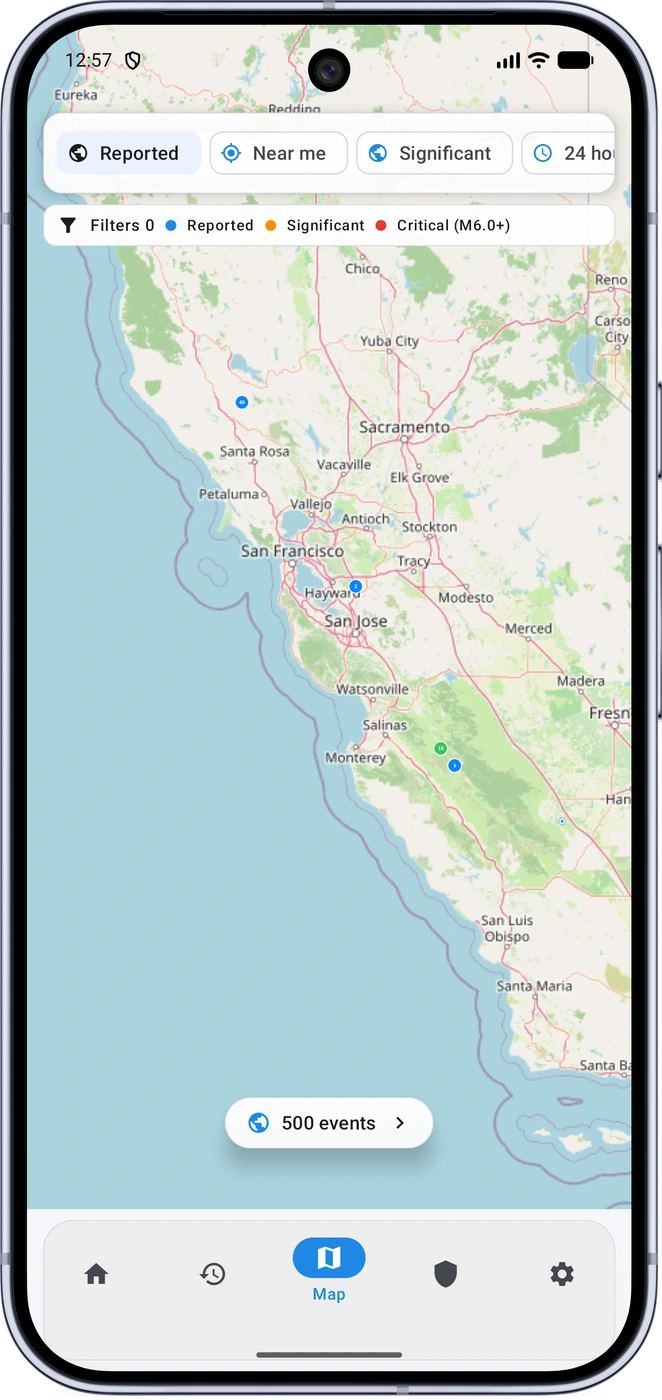
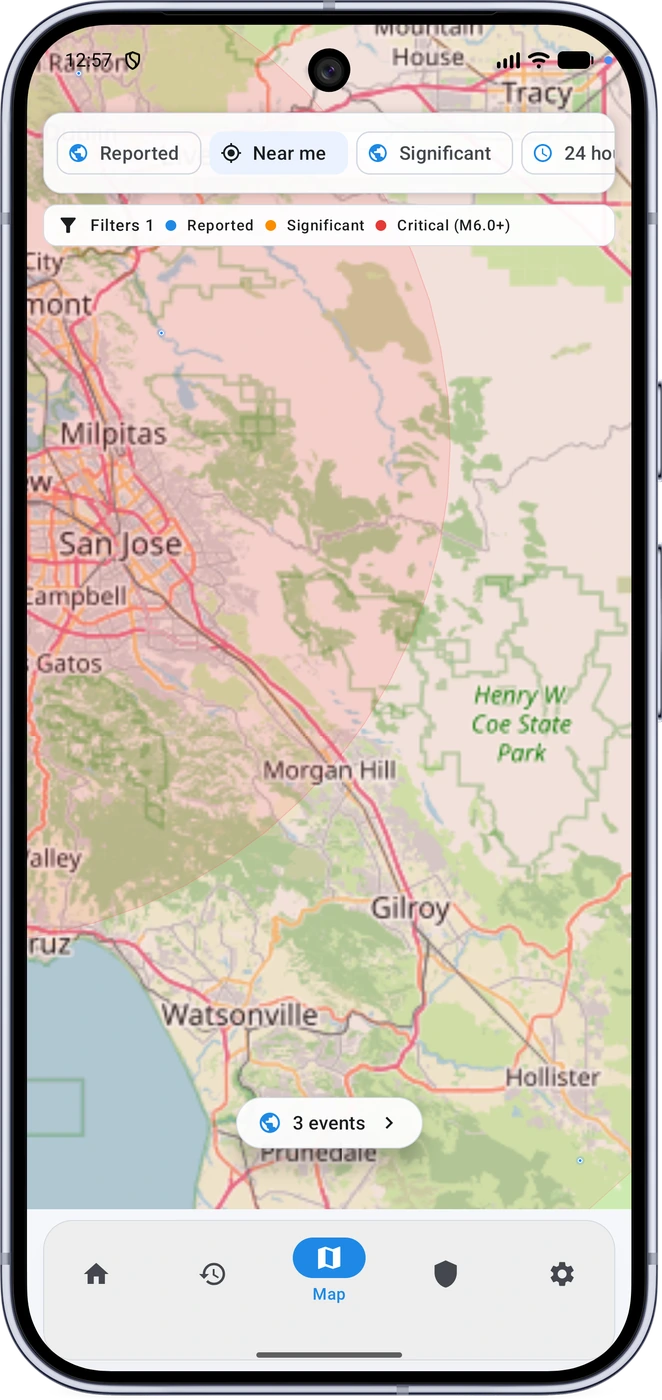
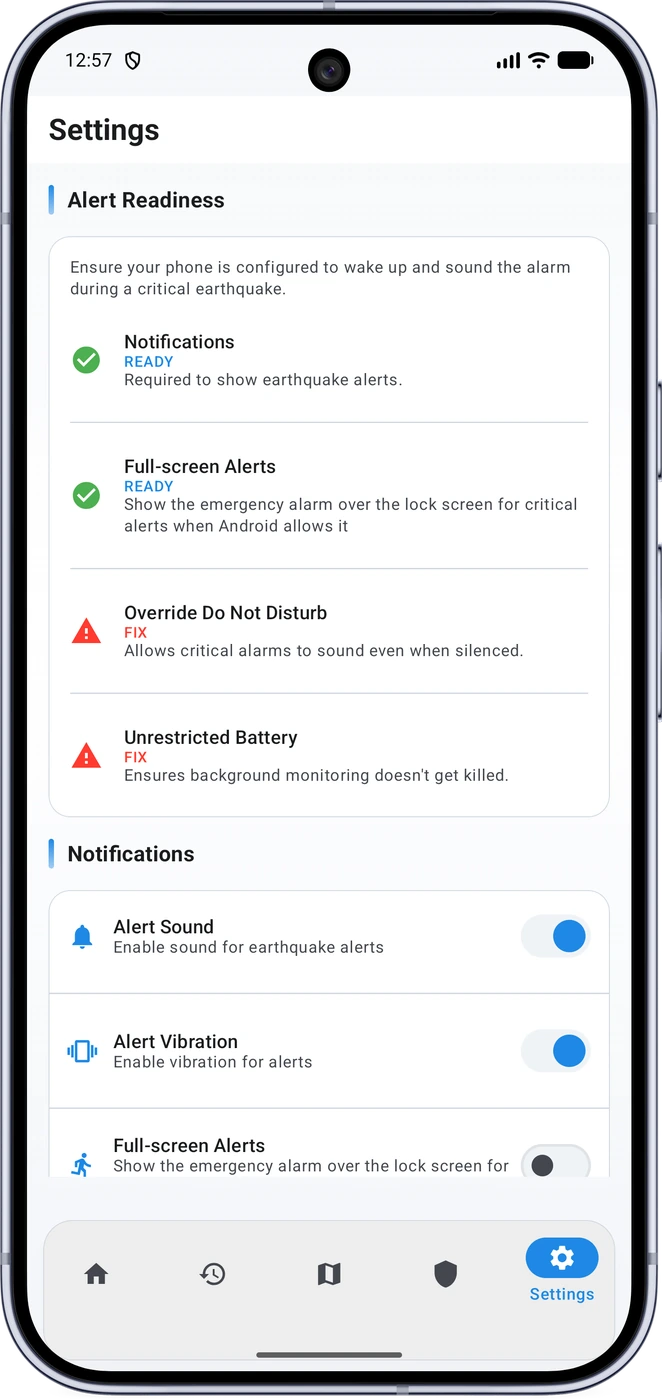
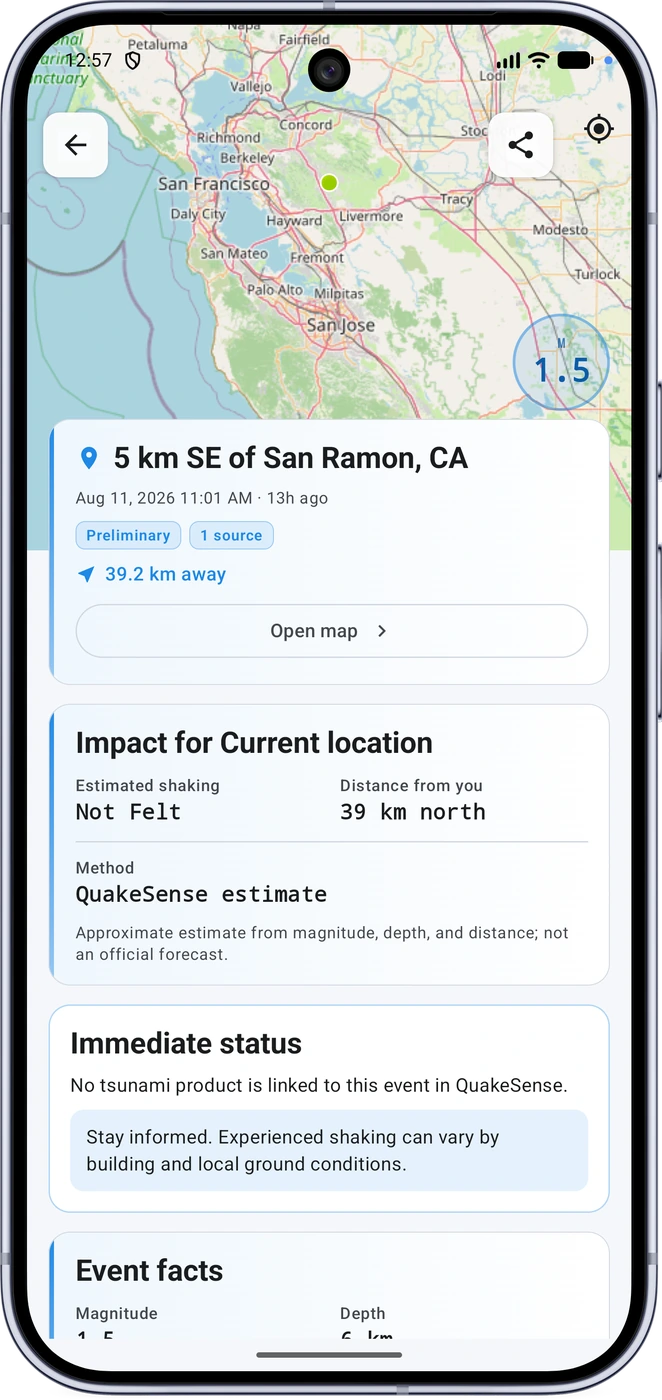
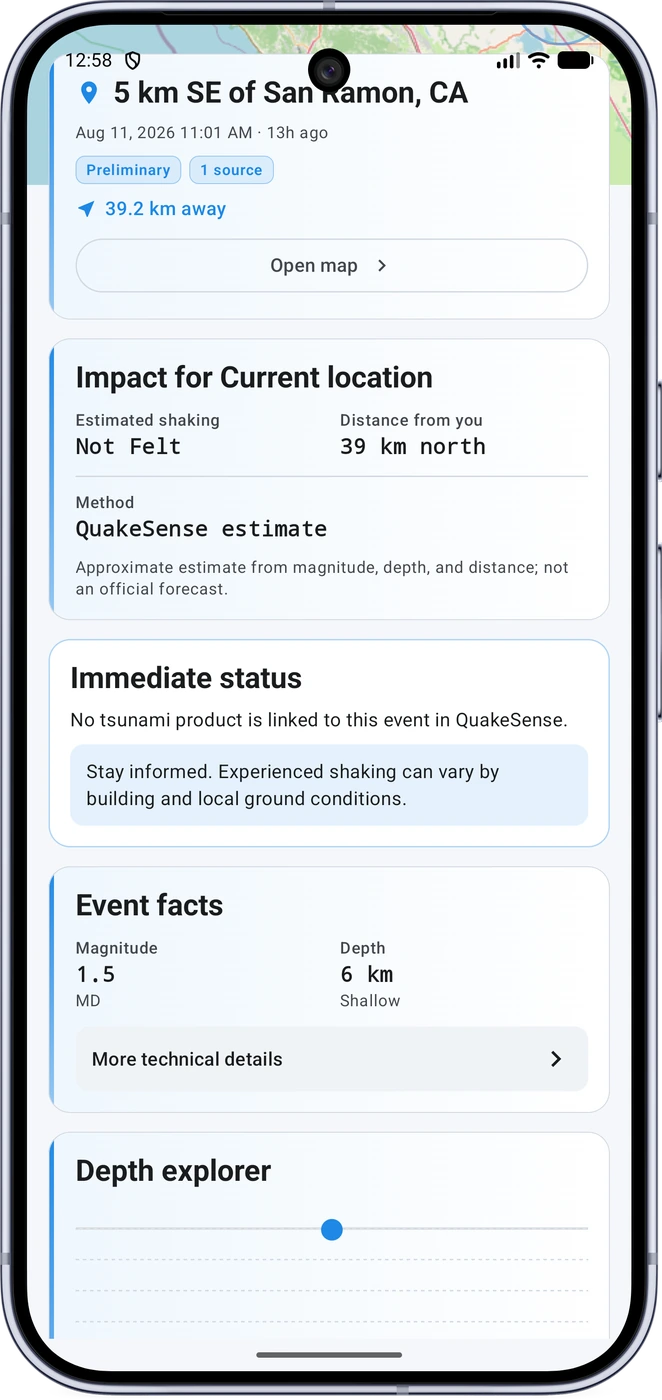
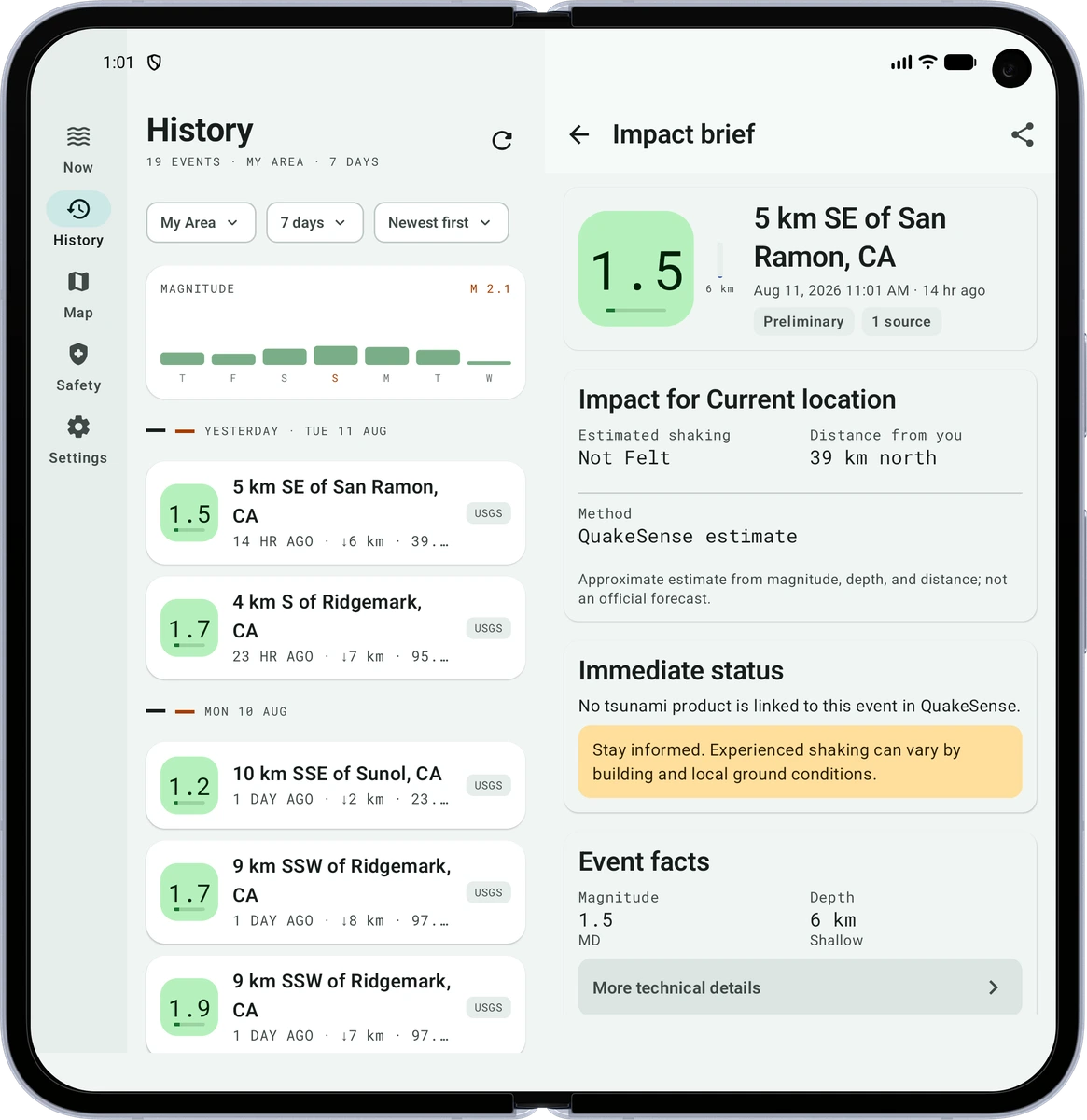
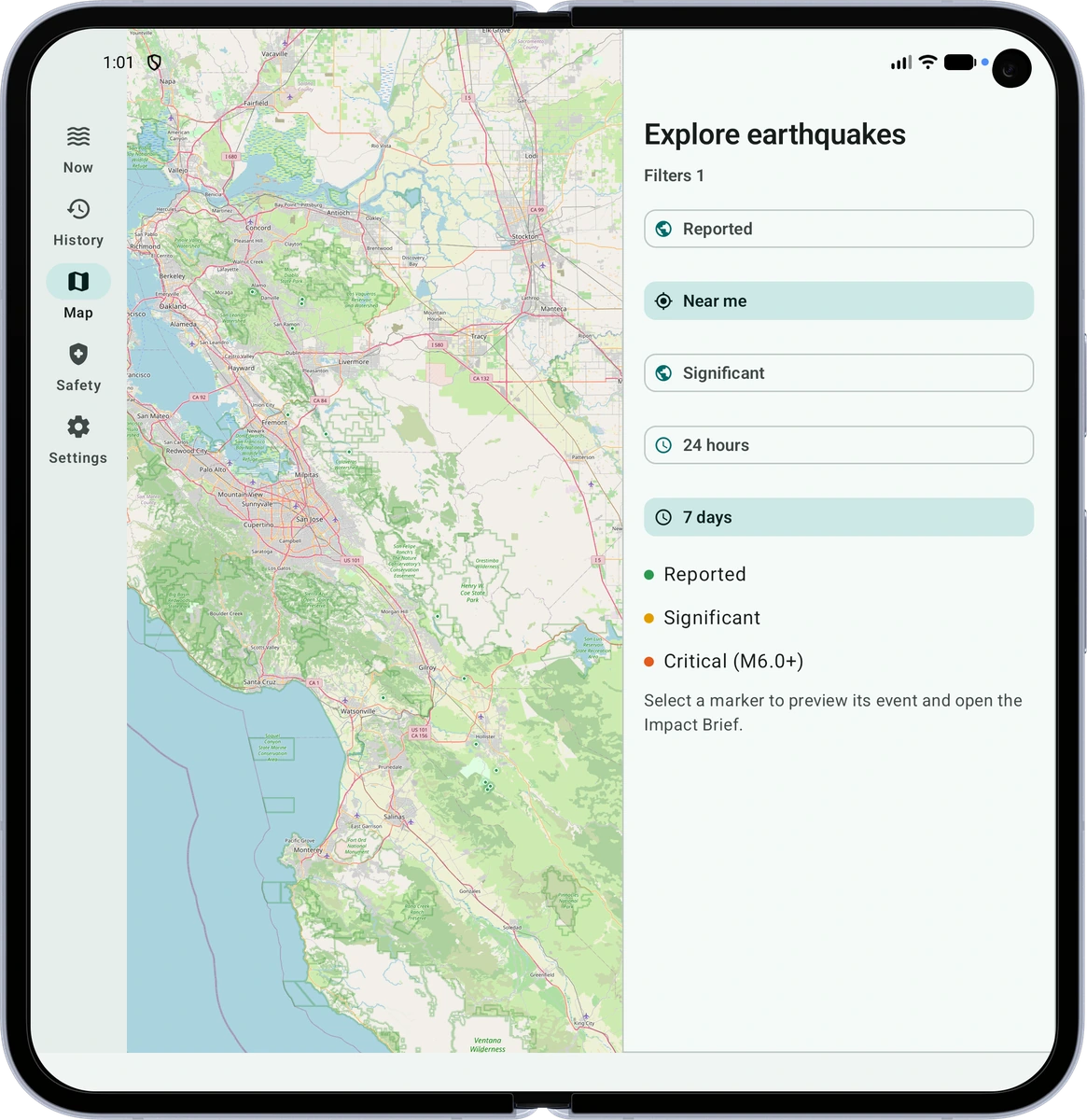
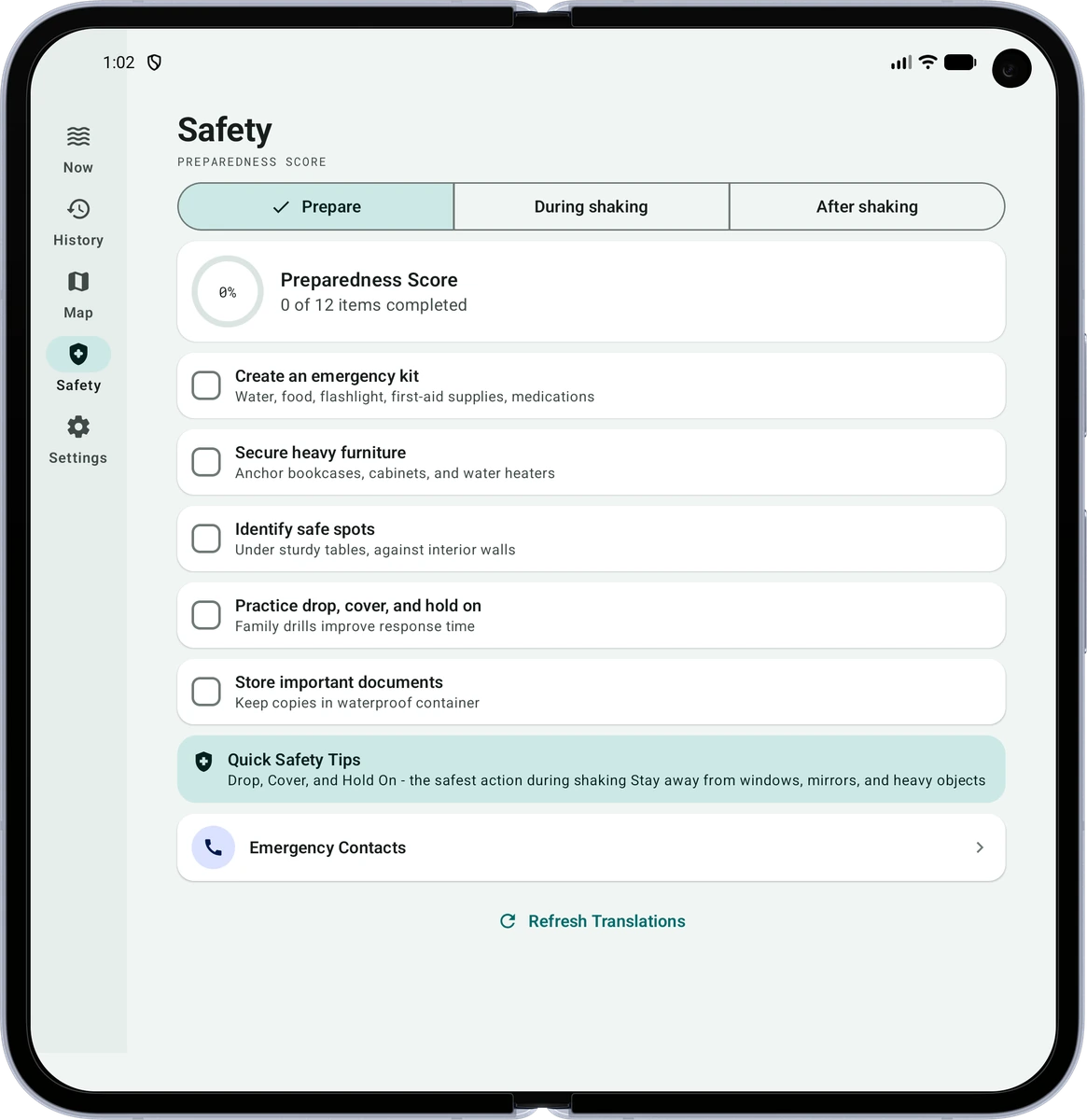
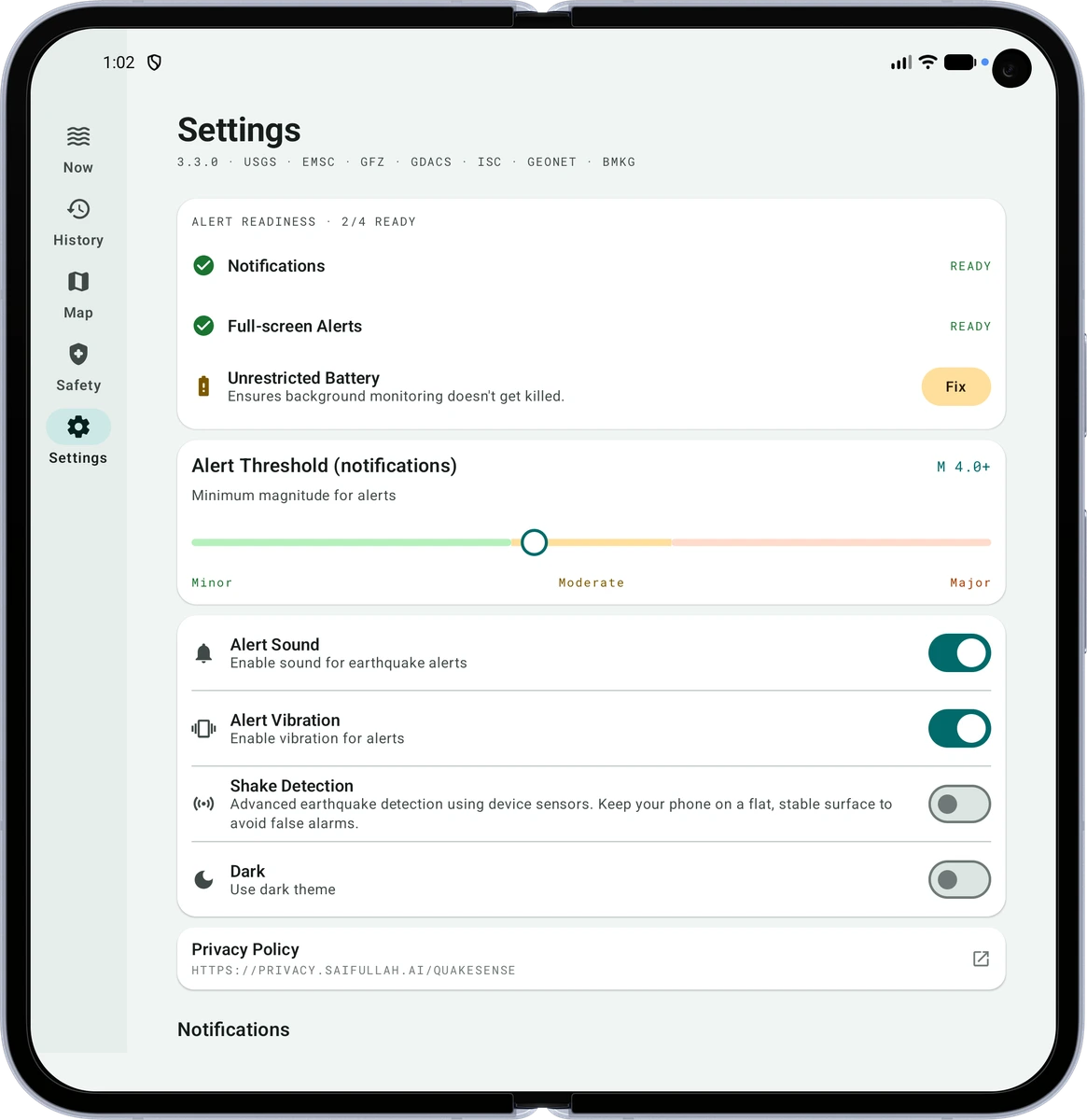
No fake watch mockup is shown. A broader screenshot set should be added only after capture from the current Wear build; physical-watch validation was not recorded for this reviewed release.
TRANSPARENT LIMITS
CLEAR ANSWERS
No. QuakeSense is an informational and preparedness companion built on public seismic data. Follow alerts and instructions from your local authorities.
No. It reports and reconciles published seismic observations and calculates local estimates with stated uncertainty.
No mandatory account or cloud sign-in exists in the reviewed app.
Location supports My Area, selected places, distance, impact context, and explicit route or rescue tools. The phone app does not request background-location permission. An explicit nearby provider query may send its coordinates directly to USGS or EMSC.
No. Emergency calls, check-ins, and messages remain user initiated. Advanced assistance signals are labelled unverified.
The standalone Wear app can use watch networking for signed bulletins and can also synchronize with a paired phone. Individual features still depend on the watch’s hardware, permissions, network, and OEM behavior.
The reviewed source contains no ads, in-app purchases, subscriptions, or paywalls.
INFORMED + PREPARED
Use QuakeSense alongside official earthquake and emergency guidance.